


Your whole dive, restored.AI underwater color correction.
Photos, Live Photos and 8K HDR video, corrected on your iPhone and iPad. Every shot is measured on its own, and every export is checked before it says it is finished.
Originalwhat the camera saw
Try it on one of your own
Pick a photograph from a dive. It is measured and corrected in this tab, by the same engine the iPhone app runs.
Drop a photograph from a dive here
JPEG, PNG, WebP or AVIF · HEIC in Safari · Nothing leaves this tab
That was one photograph. A dive is all of these.
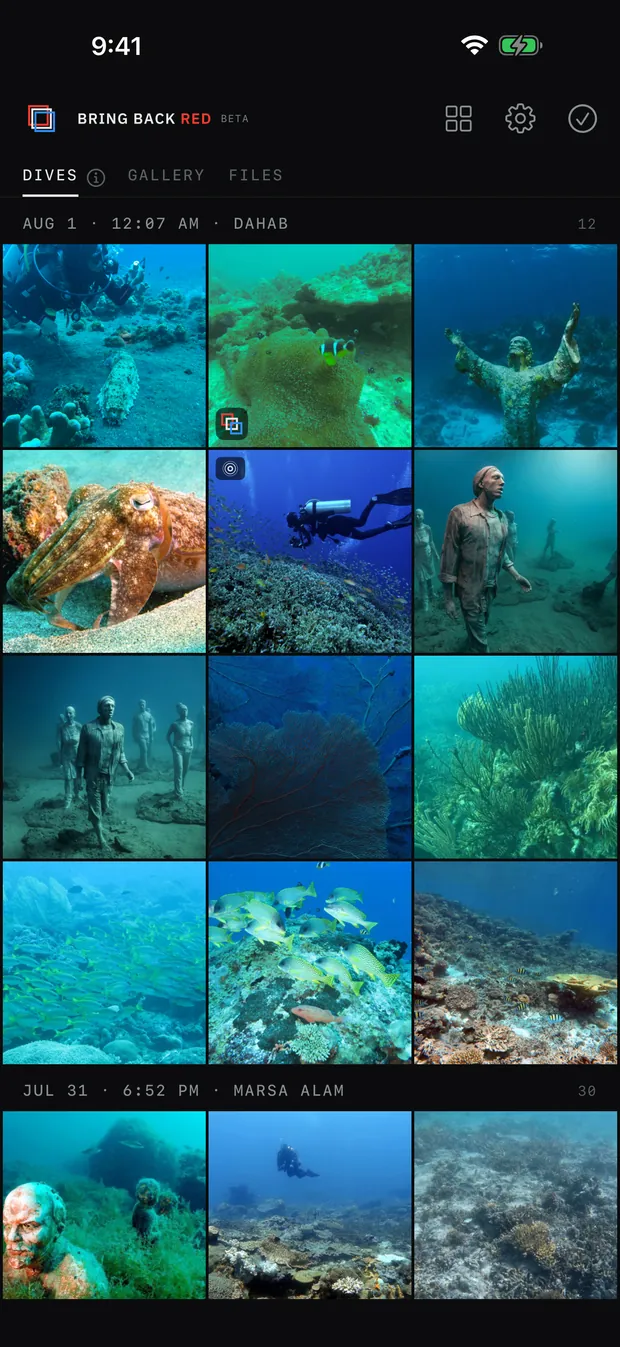
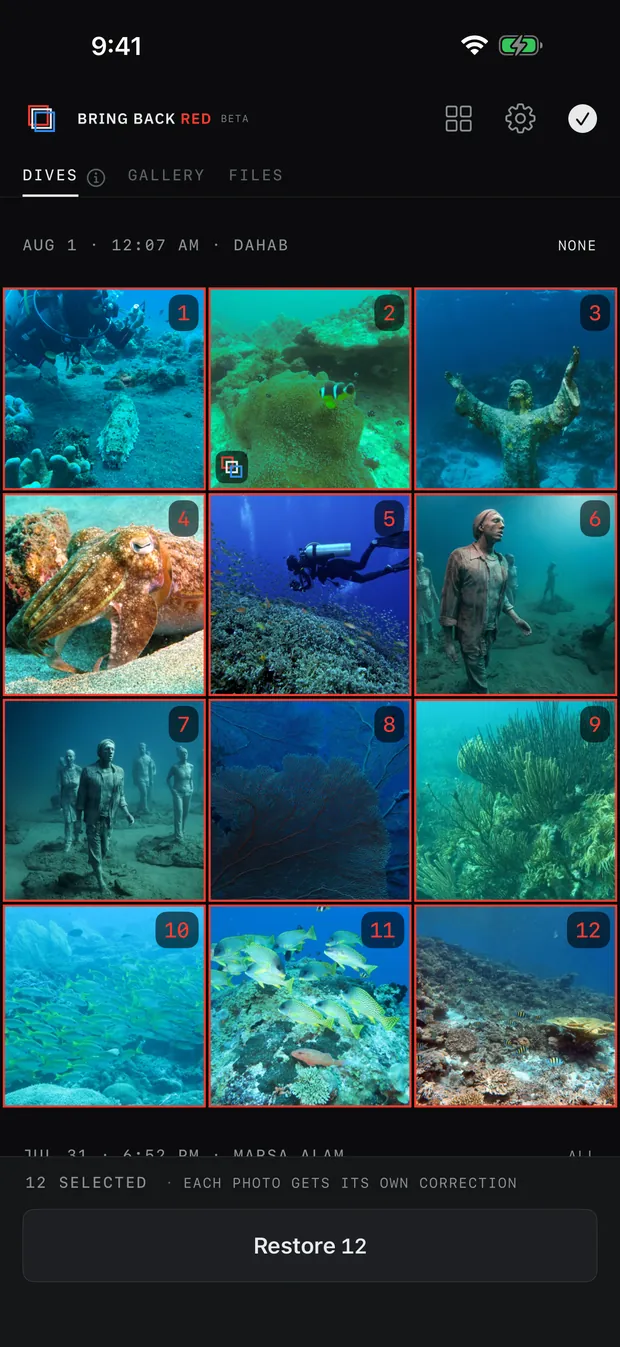
AI finds the dive in your camera roll: stills, Live Photos and clips, including the ones still sitting in iCloud. Every item is then measured on its own and corrected for its own water, in one pass, while the ones the app is not sure about wait for you instead of being guessed at.
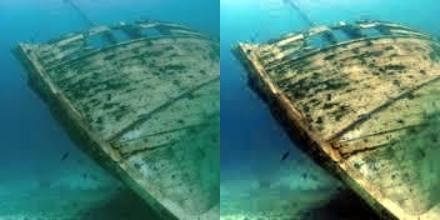
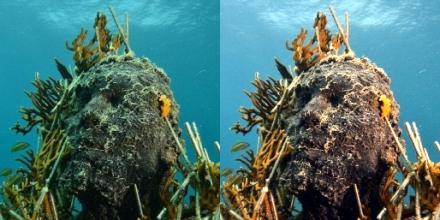
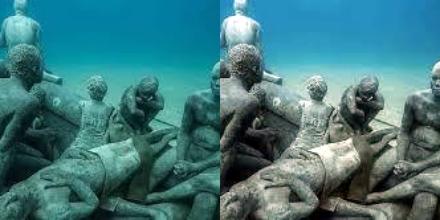
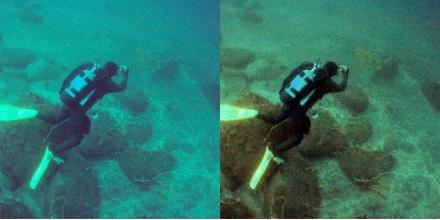
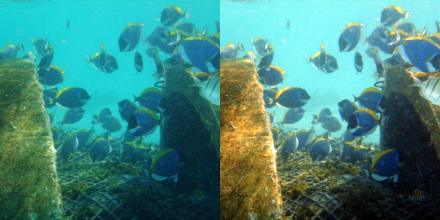
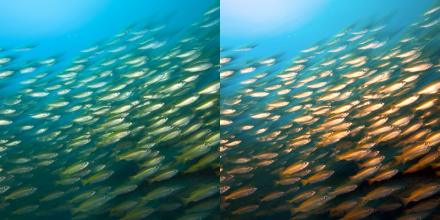
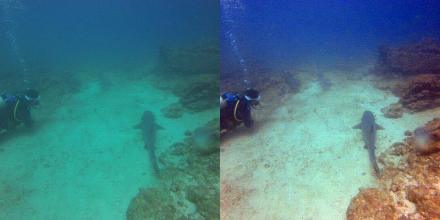
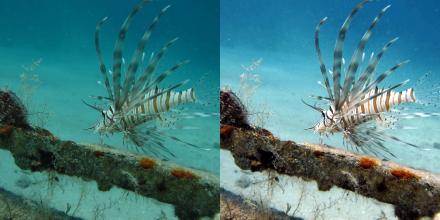
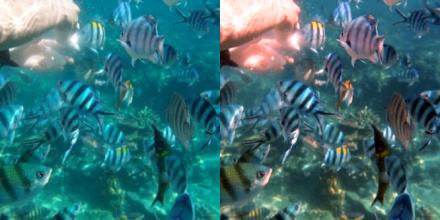
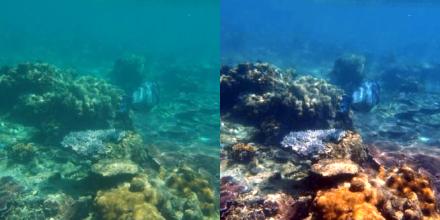
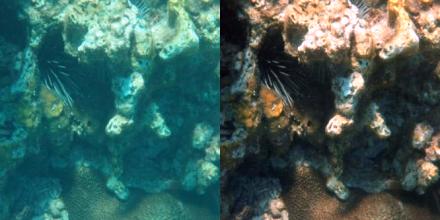
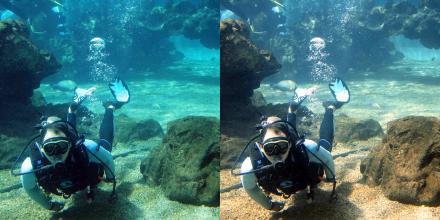
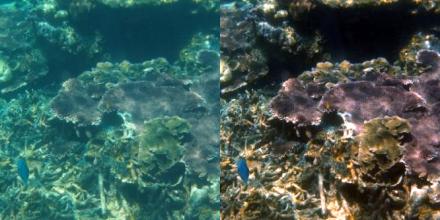
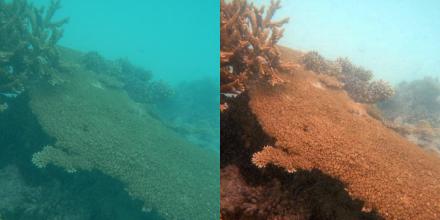
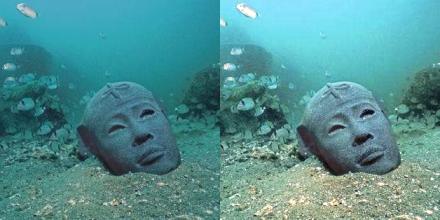
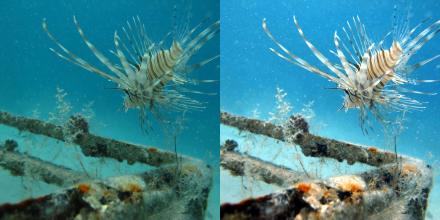
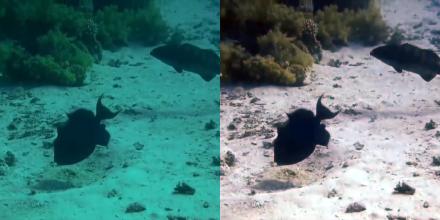
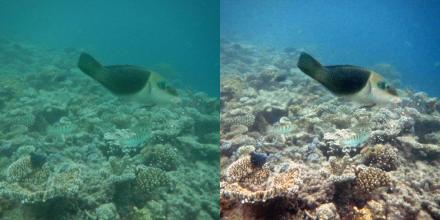
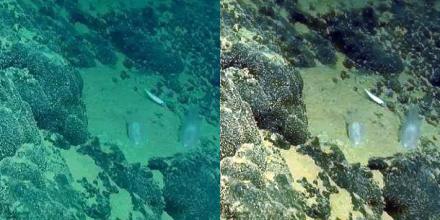
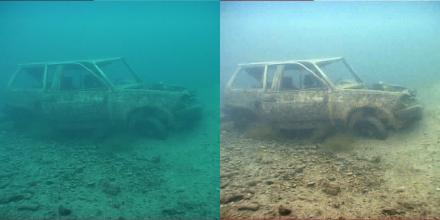
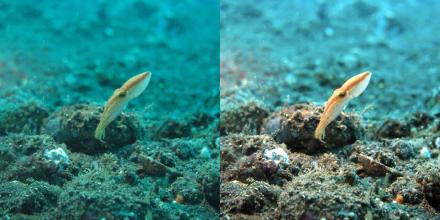
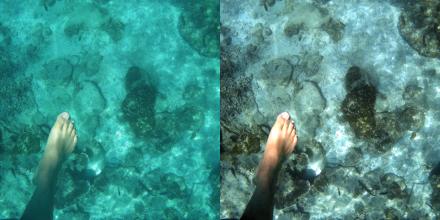
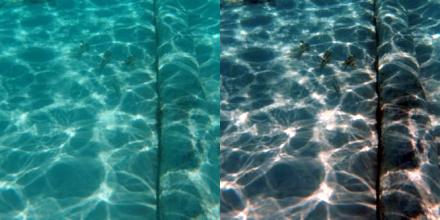
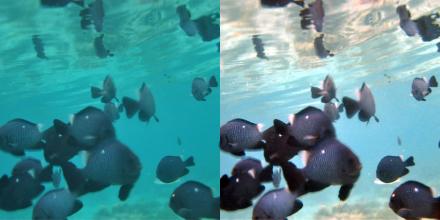
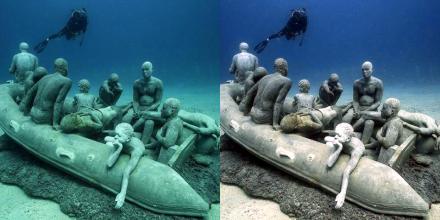
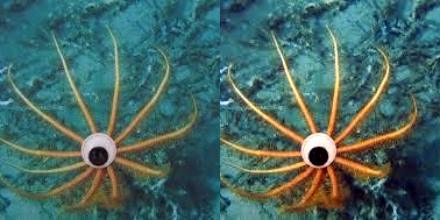
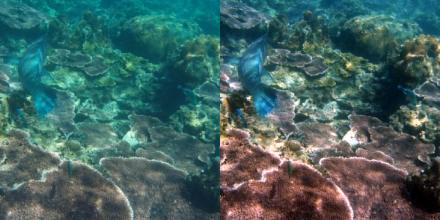
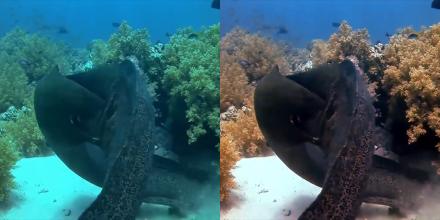
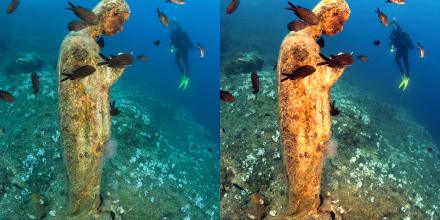
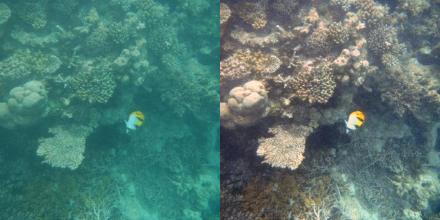

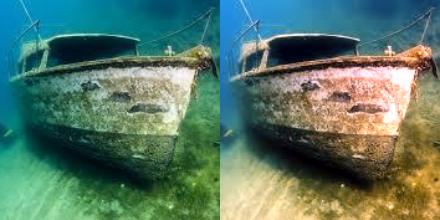
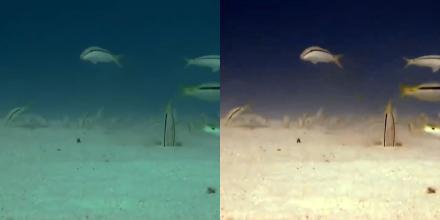
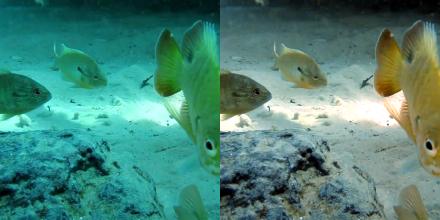
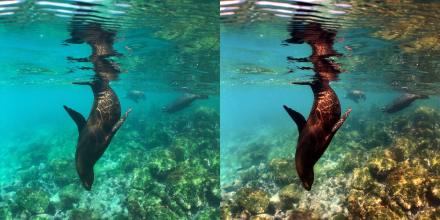
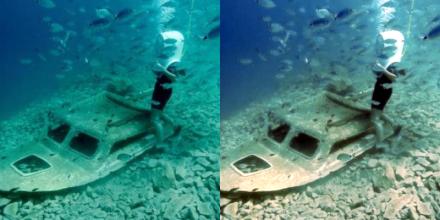
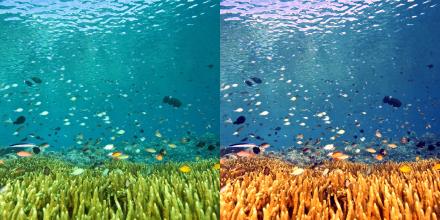
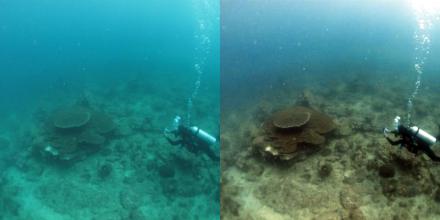
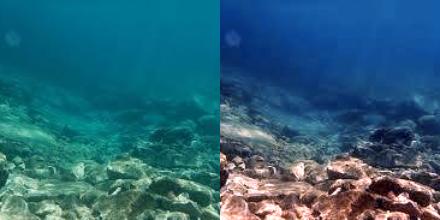
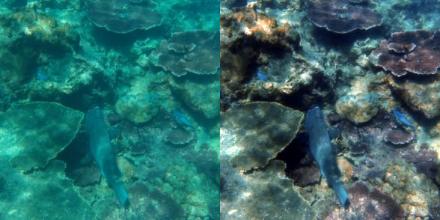
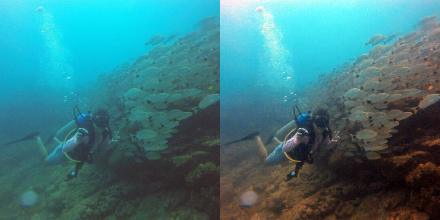
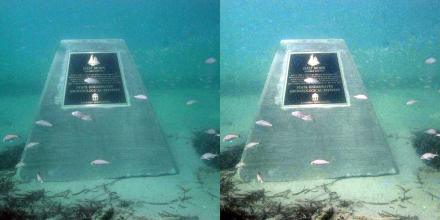
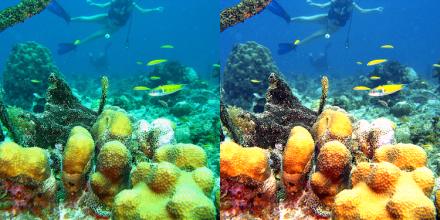
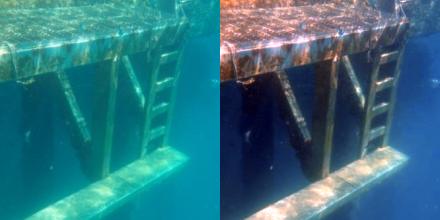
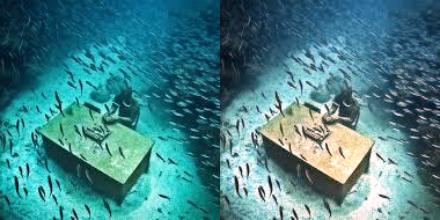
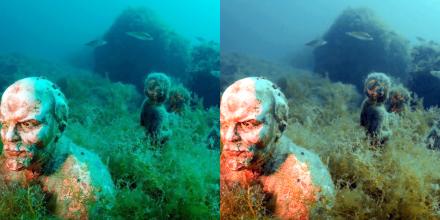
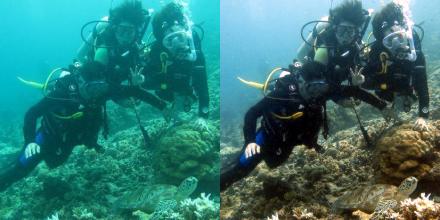
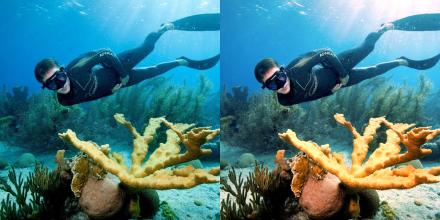


0of 48 restored
Each item is analyzed on its own, then corrected for its own water.3 need your decision · originals untouched · every item measured on its own
AI that measures, never invents. Your dive is corrected, never repainted.
 Try it on your own photo
What that looks like on the phone
Why underwater photos lose their red
- Red
- 31.4
- Green
- 65.9
- Blue
- 129.6
Mean channel value, 0 to 255. Red averages 31.4 in that frame where blue averages 129.6, and it is gone entirely from 3.1% of it.
Water is not clear. It absorbs light, and it absorbs the long wavelengths first. Red goes at a few meters, then orange, then yellow. What survives is blue or green depending on the water, which is why almost every photograph taken past snorkel depth arrives with one of those two casts.
We measured this rather than assuming it. Across four sites, red did not fade toward zero, it reached exactly zero: past 10 meters in clear tropical water, and past 1.2 meters at a shallow Mediterranean one. Depth was not what decided it.
Past that point there is nothing left in the file to brighten, which is why turning up the reds cannot work, and why measured correction has to respond to each frame instead of applying one preset to an entire dive.
The four sites, measured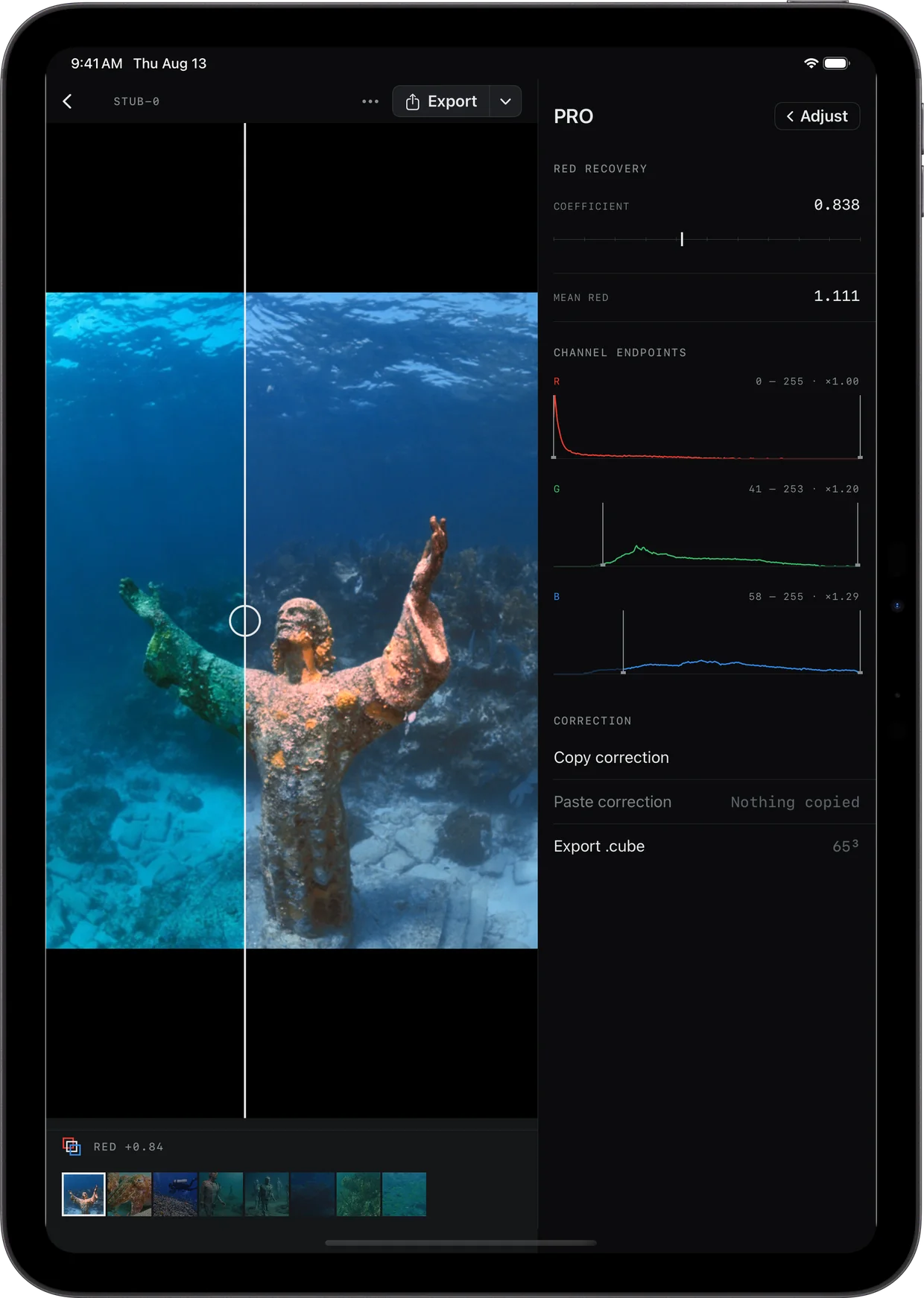
On iPad the instrument stands beside the photograph
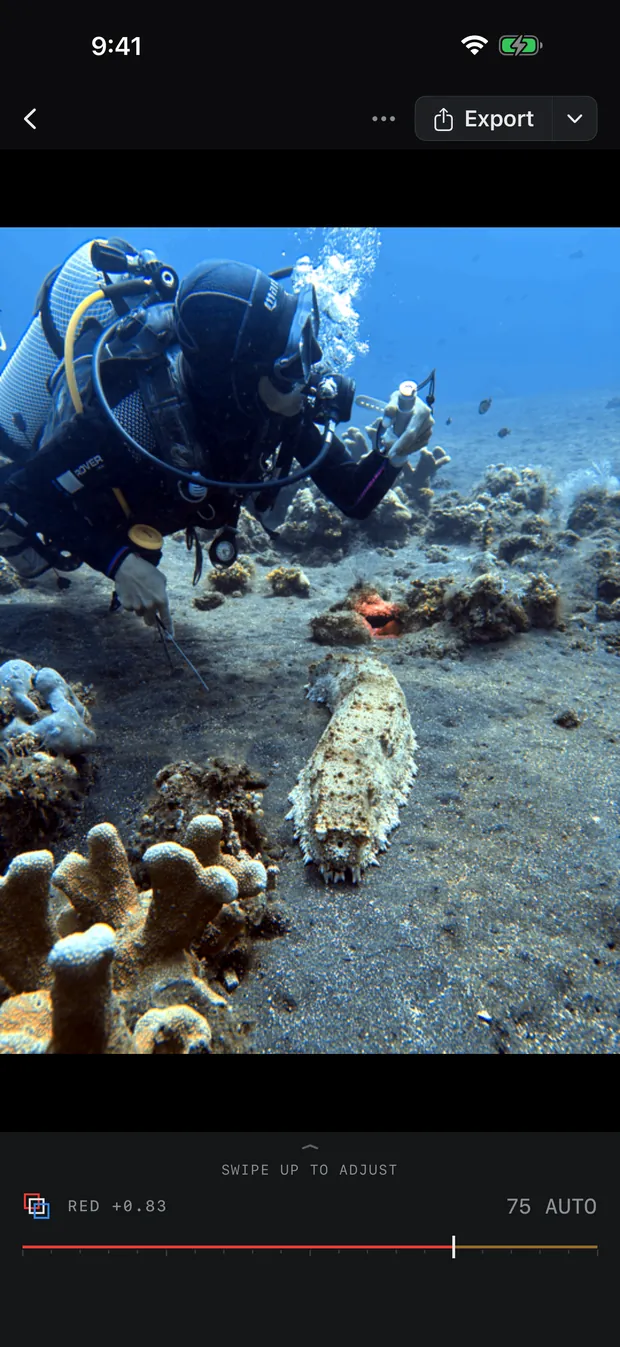
On a phone the controls have to take the screen, so the picture you are judging shrinks to make room for the thing judging it. Here nothing moves. The coefficient, the mean red and a histogram per channel sit in a column of their own, and the photograph keeps the rest.
The seam runs down the middle of it: original on one side, restored on the other, drag it wherever you want to look. Every arrangement follows the window’s width rather than the name of the device, so Split View, Slide Over and Stage Manager are the same question answered once. On an Apple silicon Mac the iPad app runs as it is.
- iPhone
- iOS 18 and later
- iPad
- iPadOS 18, permanent inspector
- Mac
- Apple silicon, as an iPad app
And no two frames are the same problem
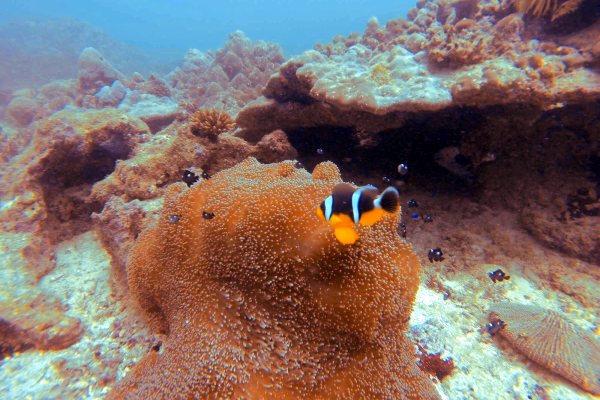
Blue tropical water and green temperate water are different problems, and two frames from the same dive are not the same problem either. These three numbers were measured, not chosen. Drag any of the three seams.
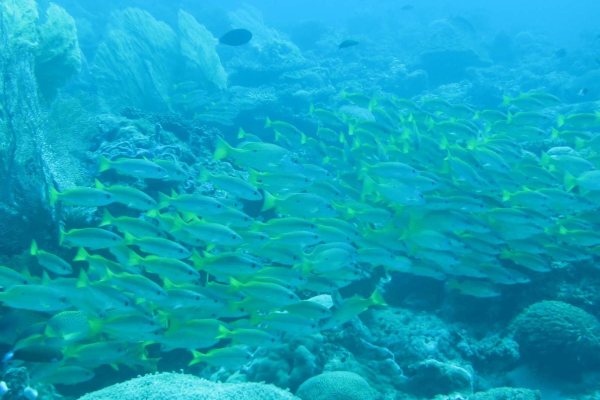
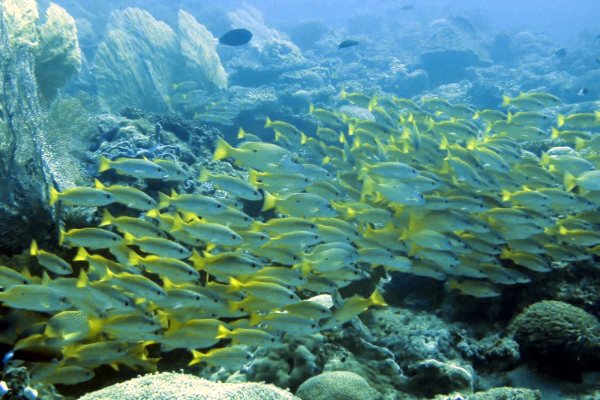 RED +0.63Blue tropical water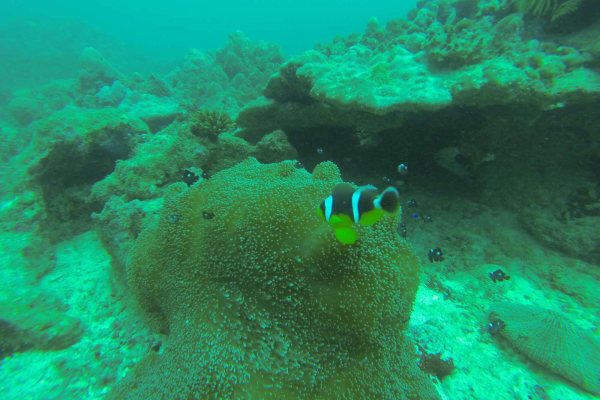
 RED +0.51Green water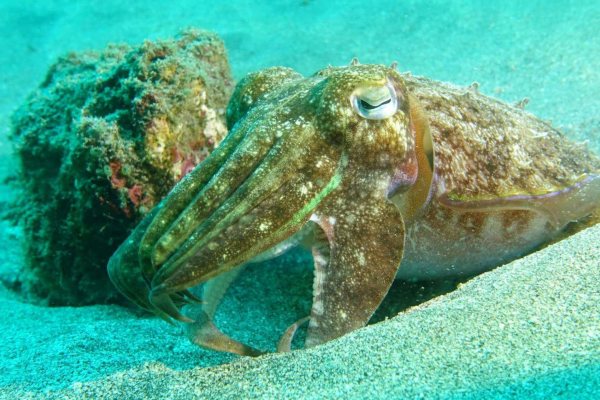
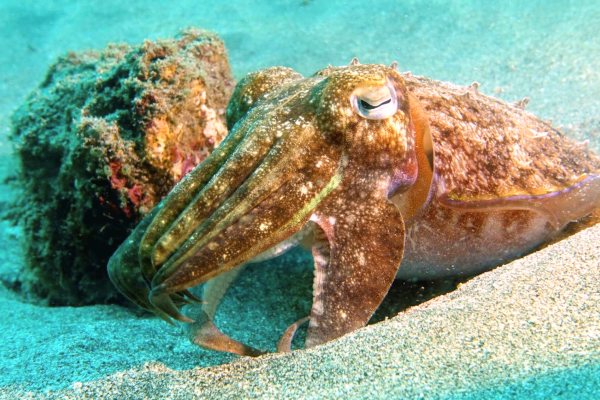 RED +0.26Turquoise shallows


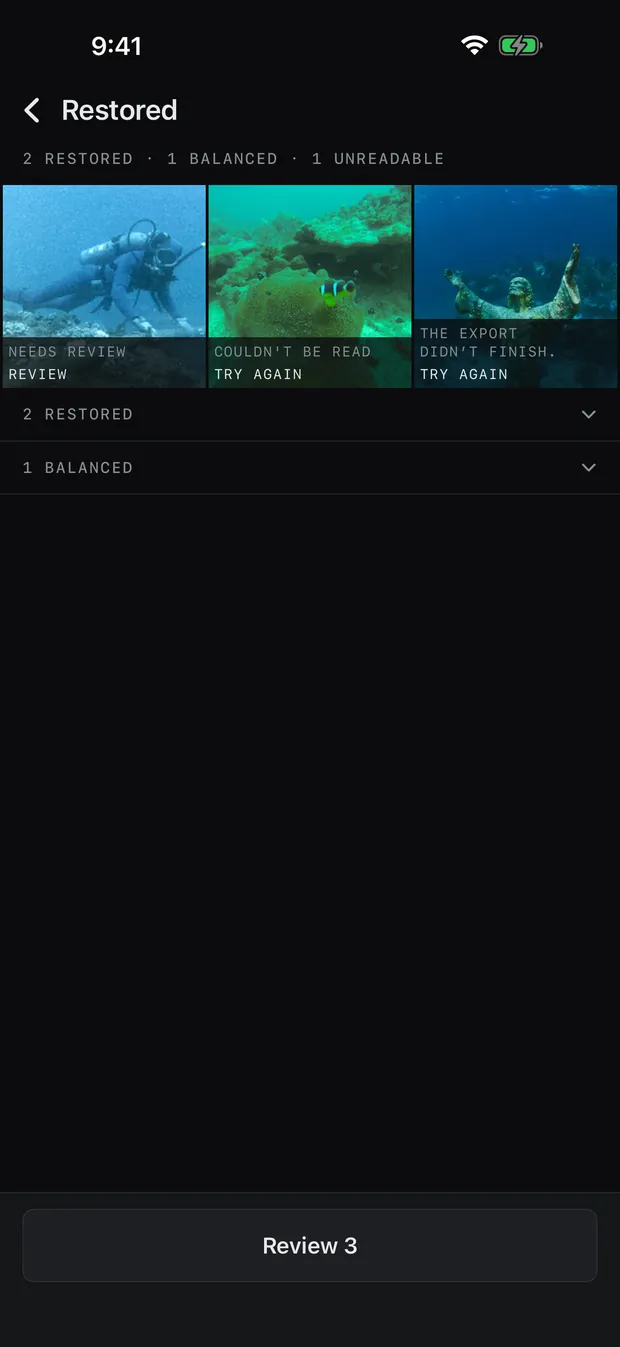
An export is not finished until it is checked
Video gets the same decision as a photograph: scrub the real corrected track, hold for the original, adjust Intensity, export. What happens after that is the part that usually goes wrong, so it is the part with the receipt.
Bring Back Red reopens the file it has written, at its final destination in Photos or Files, and reads its properties back. Resolution, frame rate, HDR intent and audio come out the way they went in, up to 8K and 120 fps. If a write fails, the source, the settings and the progress survive a relaunch and Retry resumes the same job.
What goes in is whatever your camera wrote. HEVC, H.264 and ProRes. HDR in HLG and PQ, Dolby Vision, and Apple Log read as Log rather than mistaken for ordinary video. On the photo side, RAW and ProRAW alongside JPEG, HEIC, PNG and TIFF.
- Resolution
- 8K · 7680 × 4320
- Frame rate
- 120 fps
- Codecs
- HEVC, H.264 and ProRes
- Color
- 10-bit HDR, HLG, PQ and Dolby Vision
- Audio
- Passed through untouched
- Your original
- Never modified
Reopening the file…

It runs on your phone, on the boat
The whole correction happens on the device. Your photographs are never uploaded, which also means it works with no signal, and what you shot stays yours.
Export creates a corrected copy and leaves the source untouched. Supported video is reopened at its final Photos or Files destination before the app calls it finished.
- Correction
- On this device
- Photo uploads
- None
- Signal
- Not needed
- Originals
- Untouched
- This photo, measured
- RED +0.84
Everyone here corrects a photograph. This one finishes a dive.
Three things this one does that a one-tap filter cannot, and six places you can see the difference.
The whole dive
Not one photograph. The app finds the set in your camera roll and does all of it in one pass, and only the frames it is unsure about come back to you.
8K in. 8K out.
Frame rate, HDR intent and audio come out the way they went in, your original is never touched, and the file is reopened at its destination and read back before the job is called done.
Measured, not picked
No preset and no LUT. Every frame gets its own numbers, the same photograph gets the same numbers on every device to the byte, and one that was already right is left alone.
BetaVersion 0.3.0
It will get some photographs wrong
Strong artificial light, very green water, a subject in the last few inches before the lens: the automatic setting can land too far or not far enough. The dial is there for exactly that, and a frame it is unsure about is handed back rather than guessed at. When one comes out wrong, send it to us - a photograph that defeats it is the most useful thing we can be given.
Questions divers ask
Why do underwater photos look blue?
Water absorbs the long wavelengths first, so red is gone within a few meters and what survives is blue or green depending on the water. Measured across four dive sites, red did not fade toward zero but reached exactly zero: past 10 meters in clear tropical water, and past 1.2 meters at a shallow Mediterranean site. What decides it is the distance light travels through water and the kind of water it is, not how deep you are.
At what depth does red disappear underwater?
Depth is the wrong variable: red disappears with distance traveled through water, not with depth. At a shallow Mediterranean site red measured zero by 3.4 meters from the lens, while on a clear Red Sea wreck it survived past 10 meters. A murky three-meter dive can strip red more completely than a clear twenty-meter one.
What happens to my original photo?
Nothing. Exporting writes a corrected copy and leaves the source file exactly as it was, byte for byte. Writing the correction back onto an original is a separate, off-by-default choice, and it keeps Revert in Photos when you make it.
Do my photos get uploaded anywhere?
No. Bring Back Red does the whole correction on your iPhone or iPad. Your photos are never uploaded, and it works with no signal at all, which is the point on a boat.
Does it run on iPad or Mac?
Yes. Bring Back Red is one app for iPhone and iPad, and on an Apple silicon Mac the iPad version runs as it is. The iPad is not a stretched phone layout: the adjustments and the measurement stand in a column beside the photograph instead of taking the screen from it, and the arrangement follows the window rather than the device, so Split View and Stage Manager work the same way.
Will it work on GoPro or action camera footage?
Yes. Bring Back Red corrects anything in your iPhone photo library, whichever camera made it, including GoPro and other action camera footage you have imported.
Will it ruin a photo whose color was already fine?
No, because Bring Back Red checks before it corrects. When a photo is already balanced it says so and applies nothing, and the intensity dial is still there if you disagree.
Can I undo the correction?
Yes. Bring Back Red exports a corrected copy and keeps the original untouched, so you can always return to the source you captured.
Does it work on video?
Yes. Bring Back Red corrects photos, Live Photos and supported H.264, HEVC or ProRes video, including verified HDR output up to 8K.
Does it work with RAW?
Yes, RAW and ProRAW. A RAW file is developed on your phone and corrected like any other photograph, and it leaves as a HEIC, JPEG or 16-bit TIFF copy - the file your camera wrote is never altered. Apple's own list covers over 900 camera models, so a Sony, Canon, Nikon, OM System, Panasonic, Fujifilm or Leica body in a housing is read as itself.
What is the number under the photo?
The RED value under each photograph is the red deficit Bring Back Red measured in that specific image, and the percentage beside it is how much of the highlights the correction clipped. Both come out of the correction itself rather than being written by hand, which is why they differ from one photograph to the next.
Do I still need a red filter?
A red filter and software are different tools and neither retires the other: a filter works at the moment of capture, in blue water, and costs you light, while software works afterward on footage you already have and can be undone. Neither helps past the point where red has reached zero, which our measurements put at a few meters of water in temperate conditions, so the thing that helps most is closing the distance to your subject.
Your next dive will come back blue too.
Try it on your own photo